Hypership Progress Update 1
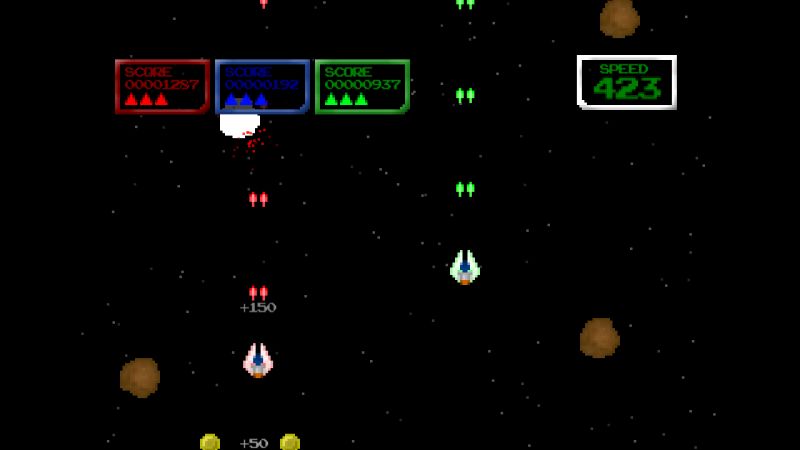
"Look at me, I'm destroying asteroids! I laugh in their general direction."
The past week, most of the changes I've been making to Hypership Out of Control have been on the performance tuning end of things. Not only must the game by fast but it has to be fast with four players. This has been causing me many headaches, preventing me from sleeping at night, and forcing me to go in performance enhancing directions I previously have not explored (go ahead and giggle now if this sentence made you think of Viagra or steroids or both).
In my first two releases I mostly managed to avoid multithreading (I did use it on load screens in Abduction Action!). I was able to attain 60 fps performance nirvana without the need of anything more than one thread. This was done through various optimization techniques which I have certainly bored you with on this blog before. For Hypership, I simply couldn't get these speeds without doing more or without compromising the vision for my game.
Multithreading turned out to be far less daunting than expected and I was able to setup a good system in only a few nights work. At some point I'd like to share the code I actually used, but for now I'll just explain what I did. I created two additional threads, each running on a different core (the Xbox has three cores with two threads each). In each loop through my game's main Update() method, I run through my two worker threads in addition to the main thread. One worker thread is responsible for all the collisions between lasers and blocks. As this was my largest bottleneck, putting it all alone on its own thread made sense. My other worker thread takes care of updating all the particle explosion effects (of which can number in the hundreds). Particle effects have to not only be updated on their own but also adjusted to move with the speed of the level. This was an easy switch to make given that particle effects do not "effect" any other objects. The main thread does everything else.
I synced the three threads together by unblocking them when the main thread begins, then blocking each individual thread after it processes one iteration through itself. The main thread then does not continue until the previous two threads have completed their operations. Lather, rinse, then repeat.
This has netted me a much more solid experience though I can still see there is room for improvement (there is an occasional stutter, which is possibly garbage related). I'll be digging into some profiler madness soon to see exactly where my bottlenecks remain and potentially moving more things from main threads into my worker threads.
Unfortunately what this has not fixed is my issues with per-pixel collision detection, which is proving to be too costly and time consuming to perform amidst a shower of lasers. I had hoped that by moving that detection into its own thread, I could keep per-pixel detections and get great performance. Sadly even by itself, on large asteroids it still causes slowdown. To resolve this, I attempted to break large asteroids into many small ones but this sadly still gives me issues.
My current plan is that since asteroids are circular in shape, I'll attempt a circle to rectangle (ship or lasers) collision test instead. I believe this sort of test will be fast enough to prevent a dip in frame rates when shooting these objects or crashing into them yet still accurately portray the shape of the objects colliding.
Hypership is currently in play test on the XNA.com forums... check it out if you haven't yet, it won't be there much longer. I've got a few good suggestions thus far and hopefully will snag a few more before it completes its run there. Once I get performance straightened<


This article has been view 635 times.
|