Hypership Performance Tuning
I've been spending a lot of my time lately working to improve the performance in Hypership Out of Control. Speed is central to the game, so the game needs to run fast and it needs to run fast with four players flooding the screen with lasers all at once.
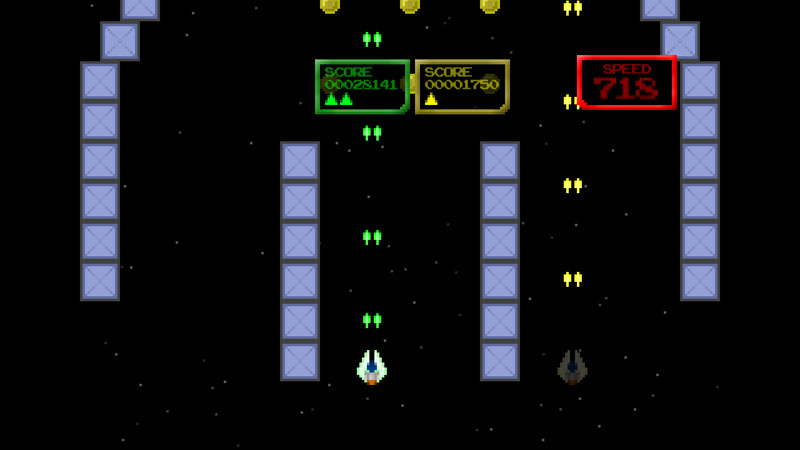
Best friends!
The biggest performance issue seems to have come from doing collision detection between lasers (each ship shoots two at a time with up to twenty on screen at once) and blocks (of which each level has hundreds).
I tried my best to solve this with a number of techniques... streamlining methods, removing the use of foreach, separating game logic into different threads running on different cores, eliminating per-pixel collision detections, using more efficient data structures, updating levels to have fewer blocks, swearing profusely at my Xbox... I could go on for a while.
Eventually it dawned on me... brute force was not going to fix these issues. I needed to think smarter. I had a sort of epiphany today, I was just brushing my teeth and then suddenly, I knew what I must do (and no, I am not talking about flossing).
The screen area in Hypership is 1280x720 pixels. Only blocks in that area can collide with lasers. During each loop through my blocks, I was needlessly checking (at least the Y position) lots of blocks that were out of range of the lasers and could never ever collide with them.
To solve this, I first sorted my array of blocks based on their position, starting with the closest to the gameplay screen first. Now as soon as I did a position check that found a block that was out of range of the ship's lasers, I know all the following blocks are out of range too. I can just exit the loop and avoid looping through the rest of the items.
Next, when a block leaves the bottom of the screen, I set it to inactive (which I also do when a block is destroyed). Because all the blocks are now in order, I know every single block with an index lesser than the block just set to inactive is also inactive. Rather than looping through all inactive blocks, I save the index of the last inactive block to leave the screen area. Using this index value, the next time I do a collision detection I start after that point.
After making these two tweaks, I can now check just blocks on screen, effectively making my collision detection methods run through dozens of blocks instead of hundreds. This reduction in the number of blocks to check easily yielded me the greatest performance increase of any of the techniques that I tried and with far less effort than many of them (multithreading, I am talking to you).


This article has been view 931 times.
|